6.2. Importing GHSL in QGIS
6.2.1. Import data in QGIS
We start by importing our data as shown in Fig. 6.2.1.1 , click on Layer (1), Add Layer (2), and Add Raster Layer (3). From the Data Source Manager click on the three-dotted icon (4) and find the folder where you saved your data, once done, confirm your choices by clicking on Add (5).
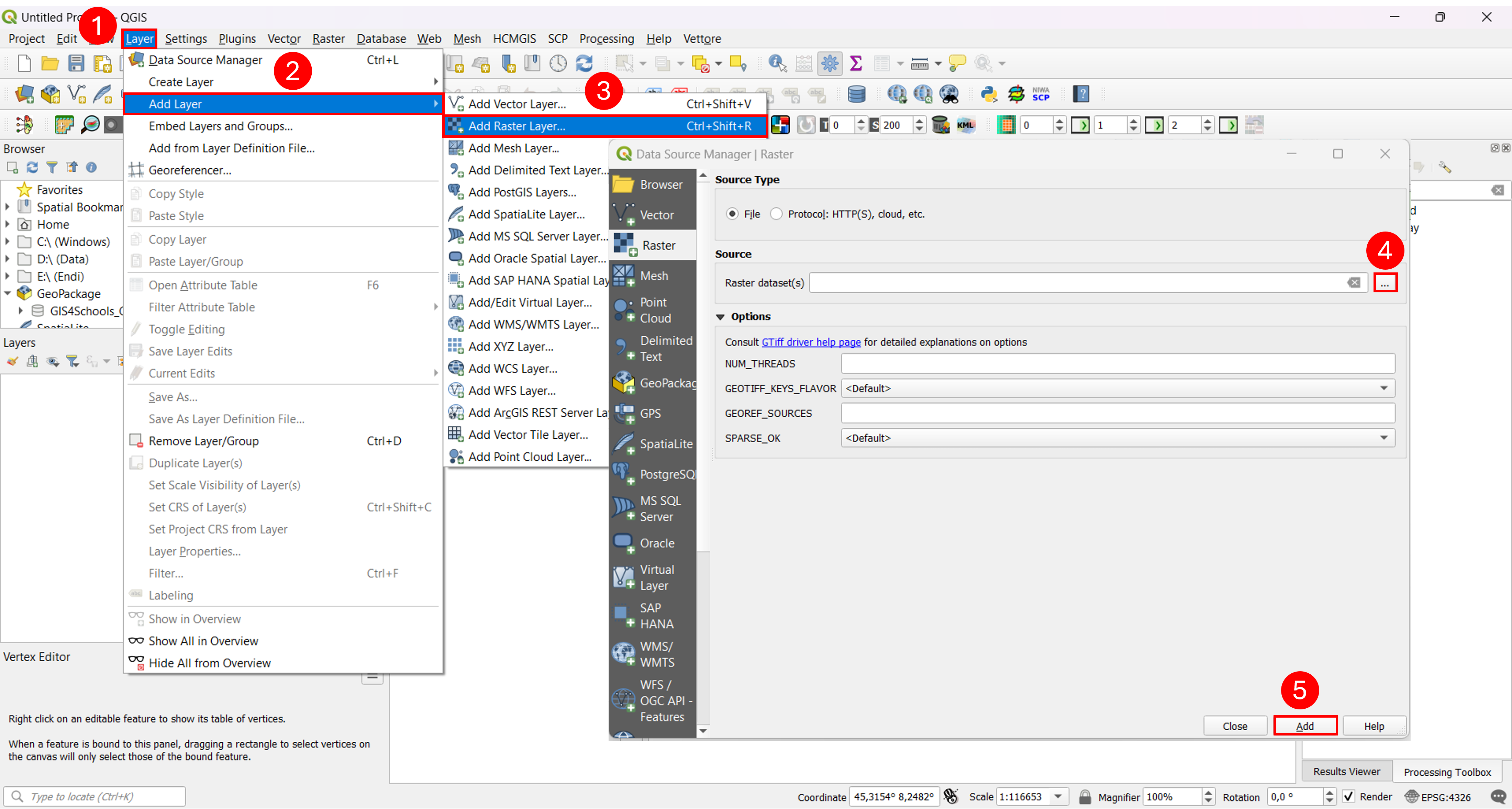
Fig. 6.2.1.1 – Import GHSL layer in QGIS